What is monitoring software and how to use it?

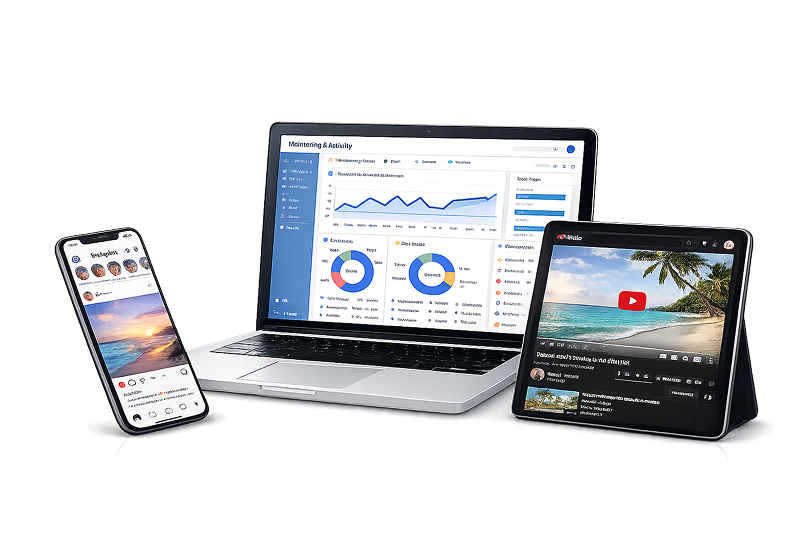
Monitoring software is a broad category of digital tools designed to track, record, and analyze activity on devices, networks, or user accounts. Depending on the purpose, it can include employee monitoring software for workplace productivity and compliance, parental control software for safer online experiences, and user activity monitoring solutions for tracking actions across systems and applications. Businesses and individuals use monitoring software to improve visibility, strengthen security, manage workflows, and better understand how devices and platforms are being used.

To use monitoring software effectively, it is important to choose a solution that matches your specific needs, whether that means monitoring employee performance, protecting children online, or reviewing user behavior for security and operational insights. The best monitoring software typically offers activity tracking, reporting dashboards, alerts, and privacy-conscious controls that support responsible use. There are many different types of monitoring software available today, and below we will explore these categories in more detail.


Employee monitoring software

Employee monitoring software helps businesses track work activity, improve productivity, and gain better visibility into daily operations. It is widely used to monitor app and website usage, attendance, task progress, and overall workflow efficiency, especially in remote and hybrid teams. When implemented transparently, employee monitoring software can support both business performance and data security.

Benefits of employee monitoring software
Improves productivity and accountability
Increases visibility into daily workflows
Supports remote and hybrid team management
Helps identify inefficiencies and time loss
Strengthens data security and compliance
Provides useful reports and activity insights

Parental control software

Parental control software helps families monitor children’s digital activity, manage screen time, and create a safer online environment. It is widely used to block inappropriate content, track app and website usage, set device limits, and monitor online behavior across smartphones, tablets, and computers. When used thoughtfully, parental control software can support both child safety and healthier digital habits.

Benefits of parental control software
Improves online safety for children
Helps block inappropriate content
Supports screen time management
Monitors app and website activity
Encourages healthier digital habits
Gives parents better visibility and control

User activity monitoring (keystroke logging)

Keylogger software helps both organizations and individuals track interactions across devices, apps, and online accounts to improve visibility, security, and control. In business environments, it is often used to monitor app and website usage, review activity logs, and, where legally permitted and transparently disclosed, support compliance and insider risk investigations.

For personal use, keystroke tracker can help people review device usage, understand digital habits, and keep better track of activity across their own systems. When used responsibly, these tools provide valuable insights for security, productivity, and everyday digital awareness.

Benefits of input operations
Improves visibility into user behavior
Helps detect unusual or risky activity
Supports security and compliance efforts
Tracks app, web, and system usage
Useful for both business and personal monitoring
Provides detailed activity insights

How to choose the right monitoring software?

Choosing the right monitoring software starts with understanding what you want to monitor and why. Some solutions are built for employee monitoring and productivity tracking, others focus on parental control, while some are designed for user activity monitoring and security oversight. The right choice depends on your goals, required features, budget, and the level of visibility you need.

Follow these steps to find software for your definite needs:

Define your main purpose and use case
Decide which devices and platforms you need to monitor
Compare key features such as activity tracking, alerts, and reports
Check ease of use and dashboard simplicity
Review privacy settings and transparency options
Compare pricing, scalability, and support quality
Read reviews and test the software before choosing
By comparing your options carefully, you can find monitoring software that fits your needs and delivers the right balance of functionality, control, and responsible use.